Ghost already handles sending, billing and the member list. What a newsletter theme decides is whether a first-time visitor becomes a subscriber before they close the tab. We build two for the job: Macaw when the newsletter is the whole product, Beak when it sits alongside a library of other work.
A newsletter site converts or it does not. That puts different demands on a theme than a personal blog does.
One form in the footer will not do it. The offer needs to appear in the hero, again after the post someone arrived to read, and on the archive page they browse next — without you editing templates to place them.
Ghost can sell monthly and yearly tiers with free previews and paid-only posts. If the theme does not render locked content, upgrade prompts and account pages properly, the feature is unusable no matter what Ghost supports.
Your archive is the web version of what landed in an inbox. Generous line length, clear hierarchy and restrained decoration keep the two consistent, so a reader arriving from search recognises what they signed up to.
New readers judge a newsletter by its archive. Tag pages, a readable index and working search matter more here than on a personal blog, because the archive is the sales pitch.
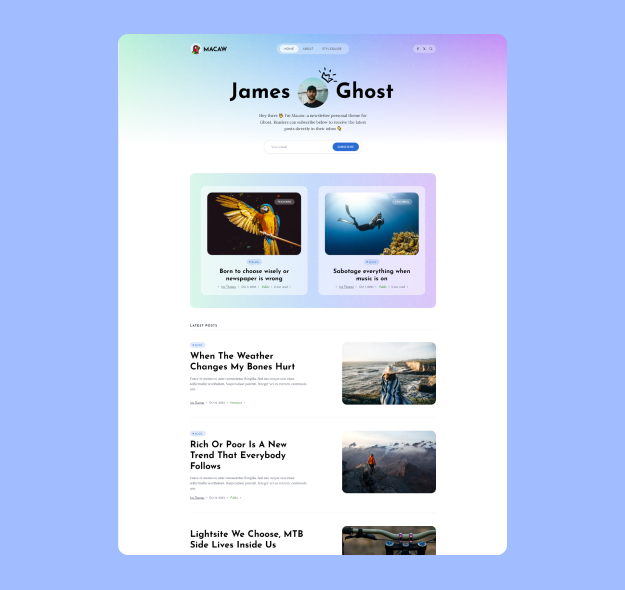
Macaw is the choice when the newsletter is the product. The homepage leads with the signup rather than a grid of posts, the article layout stays close to the emailed version, and membership tiers are wired through the whole theme rather than bolted onto one page.
It is also the more actively developed of the two — version 1.5.0, built for Ghost 6, last updated December 2024.
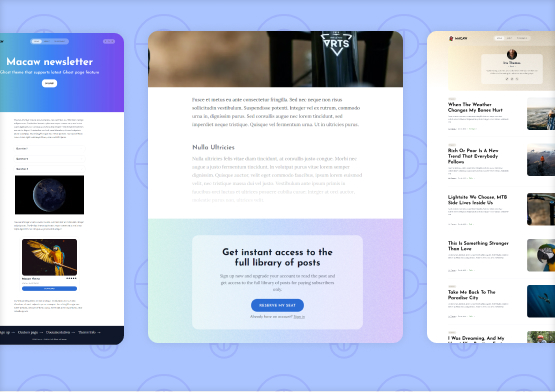
Left to right: the newsletter landing page, a membership prompt inside a post, and the archive list.
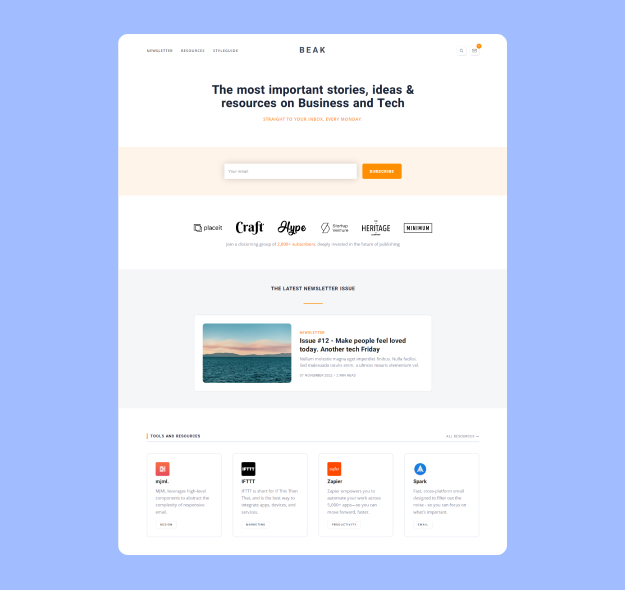
Beak covers the same subscription ground but leaves room for a resources or archive section beside the newsletter, so the site still works for someone who arrived from a search result rather than from your list. The homepage sections — newsletter area, latest issues, featured resources — are switched on and off from Ghost's theme settings rather than by editing templates.
Version 1.0.0, and the one theme here that still supports Ghost 5 as well as Ghost 6 — worth knowing if you have not upgraded yet.
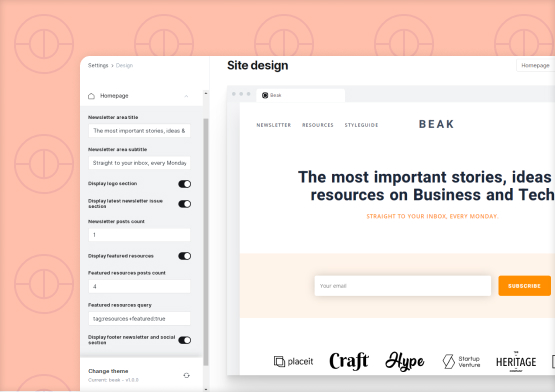
Beak's homepage sections — newsletter area, latest issues, featured resources — are toggles in Ghost's theme settings, not template edits.
Same price, same licence, same guarantee. The difference is how much of your site is the newsletter.
| Macaw | Beak | |
|---|---|---|
| Best for | The newsletter is the product | Newsletter plus resources or an archive |
| Price | $99 one time | $99 one time |
| Ghost version | 6.x | 5.x and 6.x |
| Current version | 1.5.0 | 1.0.0 |
| Last updated | December 2024 | November 2022 |
| Memberships & paid tiers | Yes | Yes |
| Featured resources section | — | Yes |
| Homepage sections in theme settings | Yes | Yes |
| Translation ready | Yes | Yes |
| Documentation | Macaw docs | Beak docs |
Still undecided? Start with Macaw. It is the more focused theme and on a newer release, and the 15-day guarantee covers you either way.
Worth being straight about this, because a theme is not always the right answer.
Sign up and start writing. No install, no theme, no hosting decision. If you want to publish this afternoon and have no interest in running a website, that is a reasonable trade and you should take it.
The domain is yours, the member list lives in your Ghost install, and the design is not shared with every other publication on the platform. You can export and move at any time. The cost is that you are responsible for the site.
On a hosted platform every publication looks broadly alike, which is fine until you are trying to look like a business rather than a hobby. A theme is how a Ghost newsletter stops looking like default software.
Sending email, managing subscribers, taking payment through Stripe and handling signups are all Ghost's job. A theme cannot add or remove any of that — it decides presentation. Do not buy a theme expecting new functionality.
One payment, no renewal required. The same terms apply to every premium theme we sell.
Improvements and Ghost-compatibility releases come at no extra cost, for the life of the theme. Each release lists exactly which files changed.
Setup questions, theme settings and bug reports are covered, and you can extend to a full year during checkout. Typical reply is well inside one business day.
Every theme has its own setup guide covering installation, theme settings and the details specific to that theme.
One theme, one site. Need more? The Annual Subscription and Lifetime Access plans cover unlimited websites and include every theme.
All themes are translation ready, so you can run the interface in a language other than English without editing templates.
Full refund, no questions asked. Switching themes leaves your posts untouched either way, so nothing you have published is at risk.
Download the zip after checkout and upload it in Ghost admin under Settings, Design. Activating it does not touch your posts.
Homepage layout, accent colour and navigation are all theme settings in Ghost admin. The written docs walk through each one.
Only if you are charging. Ghost handles billing; the theme renders the tiers, locked posts and account pages once they exist.
Publish a post with the newsletter option enabled. It lands in inboxes and stays on the site as part of the archive.
Ghost sends the email. A theme controls how your site looks and how signups and member content are presented on the web. Sending, list management and billing are all handled by Ghost itself, so no theme can add or take those away.
Yes. Both themes support Ghost memberships and subscription tiers, including paid-member-only posts and the account pages members use to manage their subscription. You connect Stripe in Ghost and the theme renders the rest.
Macaw. It is the more focused of the two and is on a newer release. Choose Beak when you already know you want a resources or archive section alongside the newsletter, or if you are still running Ghost 5.
No. Content in Ghost is stored separately from the theme, so activating a new one changes presentation and nothing else. Your posts, tags, members and URLs all stay exactly where they are, which also means you can preview and switch back freely.
No. You need to know how to use Ghost. Installation is uploading a zip file in the admin area, and everything after that is theme settings and written documentation. You can edit the source if you want to, and the licence permits it, but nothing requires it.
Every theme carries a 15-day money-back guarantee, no questions asked. Because switching leaves your content untouched, the worst case is that you spend an afternoon trying one and go back.
Publishing something other than a newsletter?